
Booking a delivery
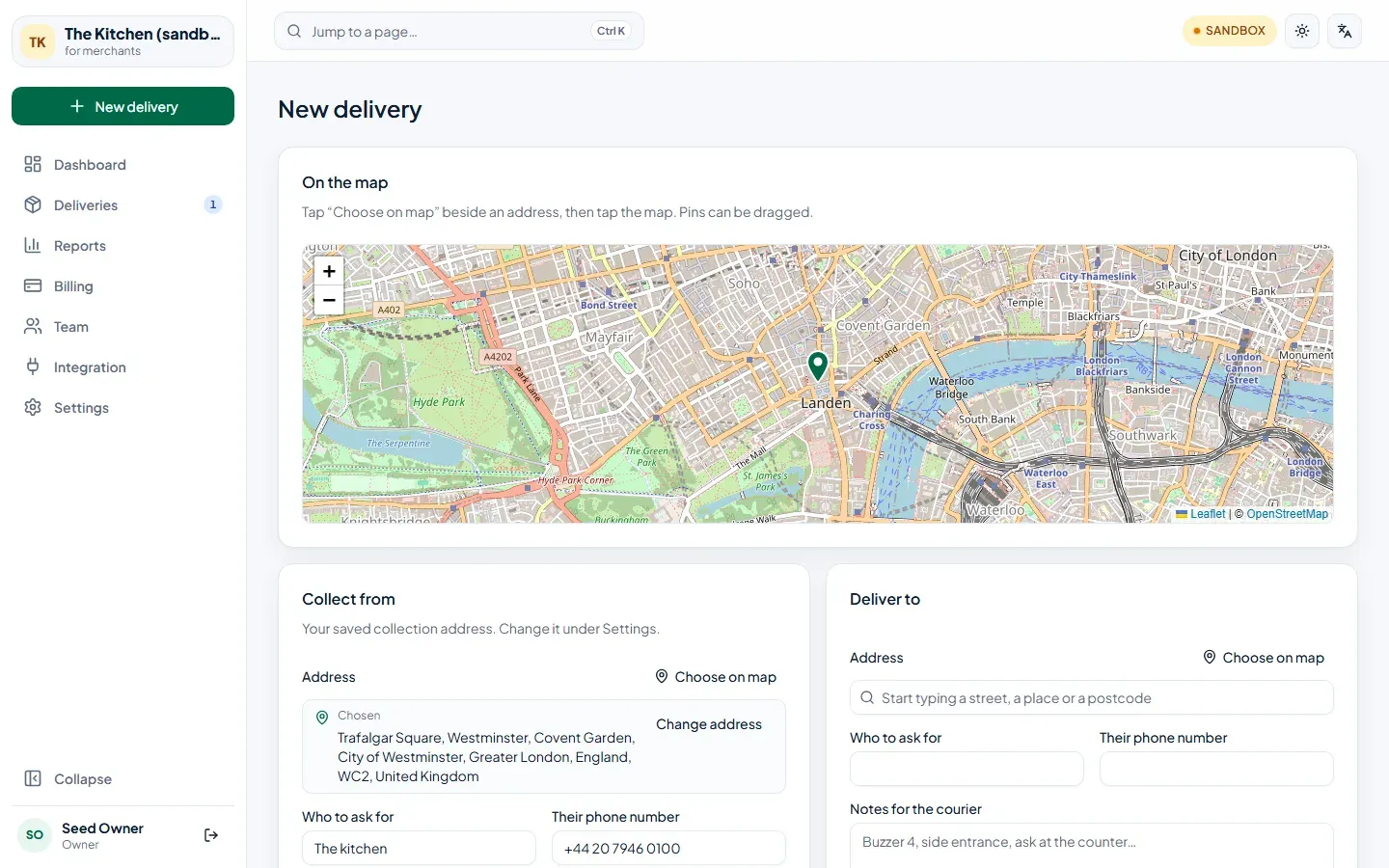
Choose New delivery in the menu. The form has the map at the top and the two ends of the journey below it.
-
Collect from. Your saved collection address is already filled in. To collect from somewhere else for this one delivery, choose Change address. The name and phone number are who the courier asks for at the counter.
-
Deliver to. Start typing a street, a place or a postcode and pick the right suggestion — or choose Choose on map and tap the map. Check the address the map found. Add who to ask for and their phone number: it’s what the courier uses when nobody answers the door. Notes for the courier is for things like “Buzzer 4, side entrance”.
-
Vehicle and time. Smallest available is usually the cheapest. Choose At a set time to book ahead; otherwise it goes as soon as possible.
-
What’s in the order (optional). Add the items so the courier can check them at the counter and at the door. A discount and an order total are optional too — set the total if your receipt has something on it we can’t see, like a service charge. None of this changes what you pay us.
-
Text the customer. Leave it ticked and your customer is texted a live tracking link when the courier collects. Untick it for a customer without a mobile.
-
Get a price. You see the price, the distance and the estimated ride. The price is held for a few minutes.
-
Book this delivery. The delivery gets a reference such as
JOB-7F3K2Q, and a courier nearby is offered it straight away.
What happens next
Section titled “What happens next”- Your card is held for the price. It is only charged once the delivery arrives — see Your account.
- The delivery appears under Deliveries and, once a courier takes it, under On the road right now on the dashboard.
- If nobody takes it within 15 minutes it ends as Failed and nothing is charged. Book it again, or call us.
Cancelling
Section titled “Cancelling”To call off a delivery, phone our operations team. You can cancel until the courier has collected it, and a cancelled delivery is not charged.