
Following your deliveries
The deliveries list
Section titled “The deliveries list”Deliveries lists everything you’ve booked, newest first, with where it went, the vehicle and the price. Use Any status to show only, say, the ones on the road or the ones that failed.
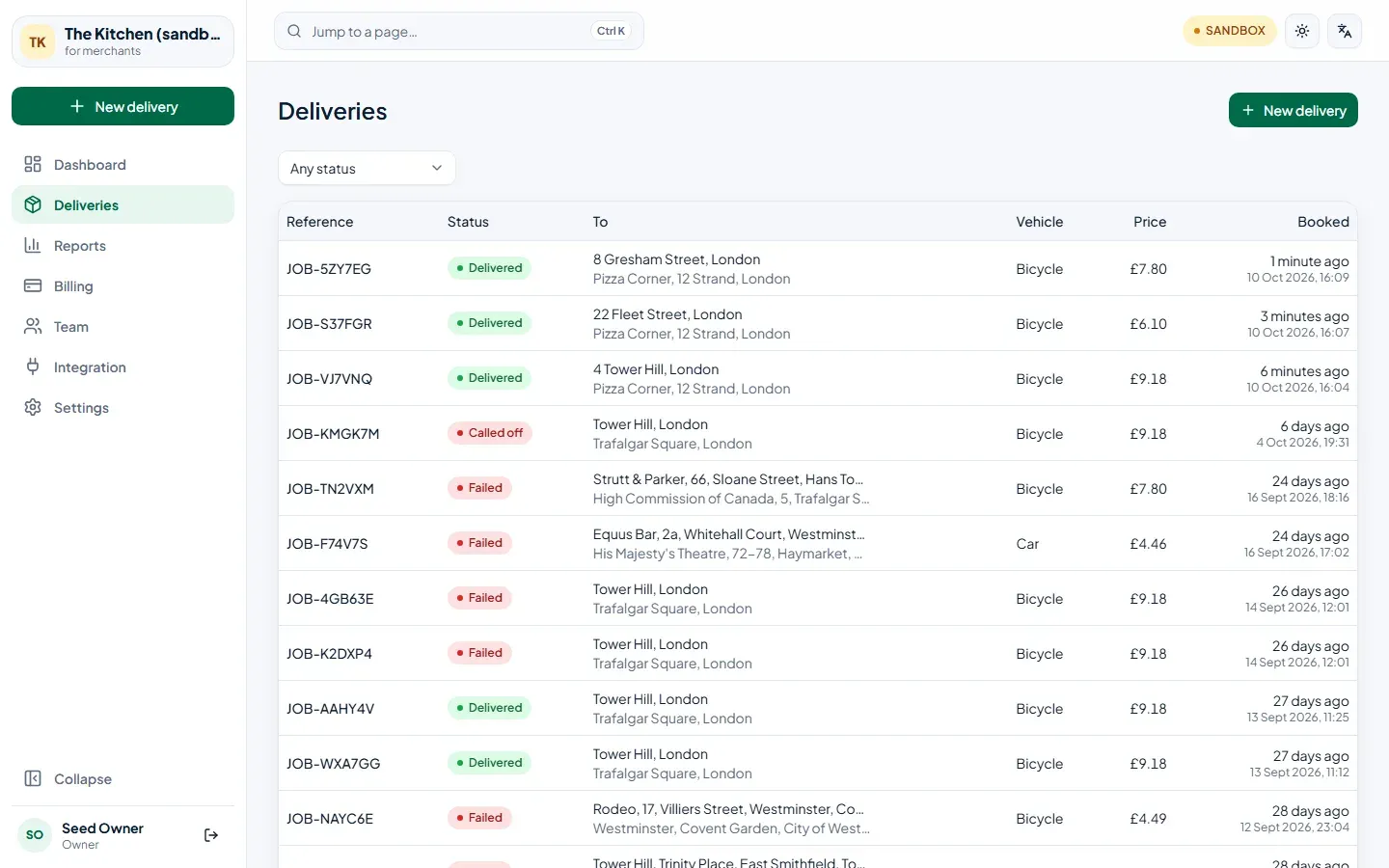
| Status | Meaning |
|---|---|
| Booked | Booked for later; it starts looking for a courier twenty minutes before the time. |
| Looking for a courier | The offer is out to couriers nearby. |
| Courier on the way | A courier took it and is heading to you. |
| At the collection | The courier is at your counter. |
| On the way | Collected, and on its way to the customer. |
| Delivered | Handed over, with proof. |
| Coming back | It couldn’t be handed over and is coming back to you. |
| Brought back to you | Back on your counter. Charged like a delivery. |
| Called off | Cancelled before collection. Not charged. |
| Failed | Nobody took it in time. Not charged. |
A delivery’s page
Section titled “A delivery’s page”Open any delivery to see everything about it.
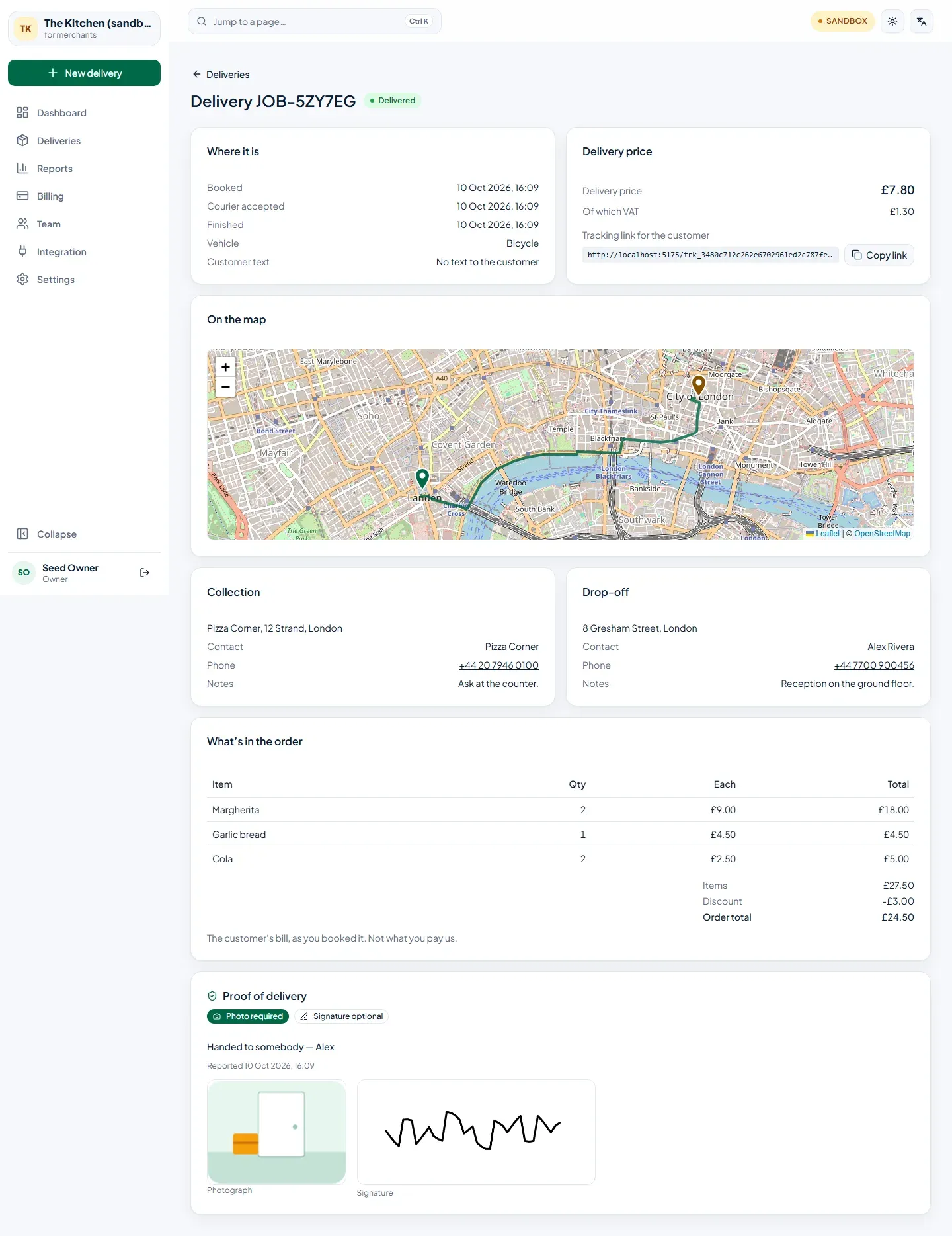
- Where it is — when it was booked, accepted and finished, and whether the customer was texted.
- Delivery price — what you pay, the VAT in it, and the tracking link to copy into your own message to the customer.
- On the map — the route, and the courier while they’re on the way.
- Collection and Drop-off — the contacts and notes as you booked them.
- What’s in the order — the items, discount and total, if you sent them.
- Proof of delivery — what the courier recorded at the door: who took it, the photograph and the signature.
The dashboard
Section titled “The dashboard”The Dashboard sums up the last 7, 28 or 90 days: deliveries booked, what you spent, the average cost per delivery and how many arrived on time — each compared with the period before. On the road right now shows what’s moving at this moment. Export deliveries downloads the period as a spreadsheet.
Reports
Section titled “Reports”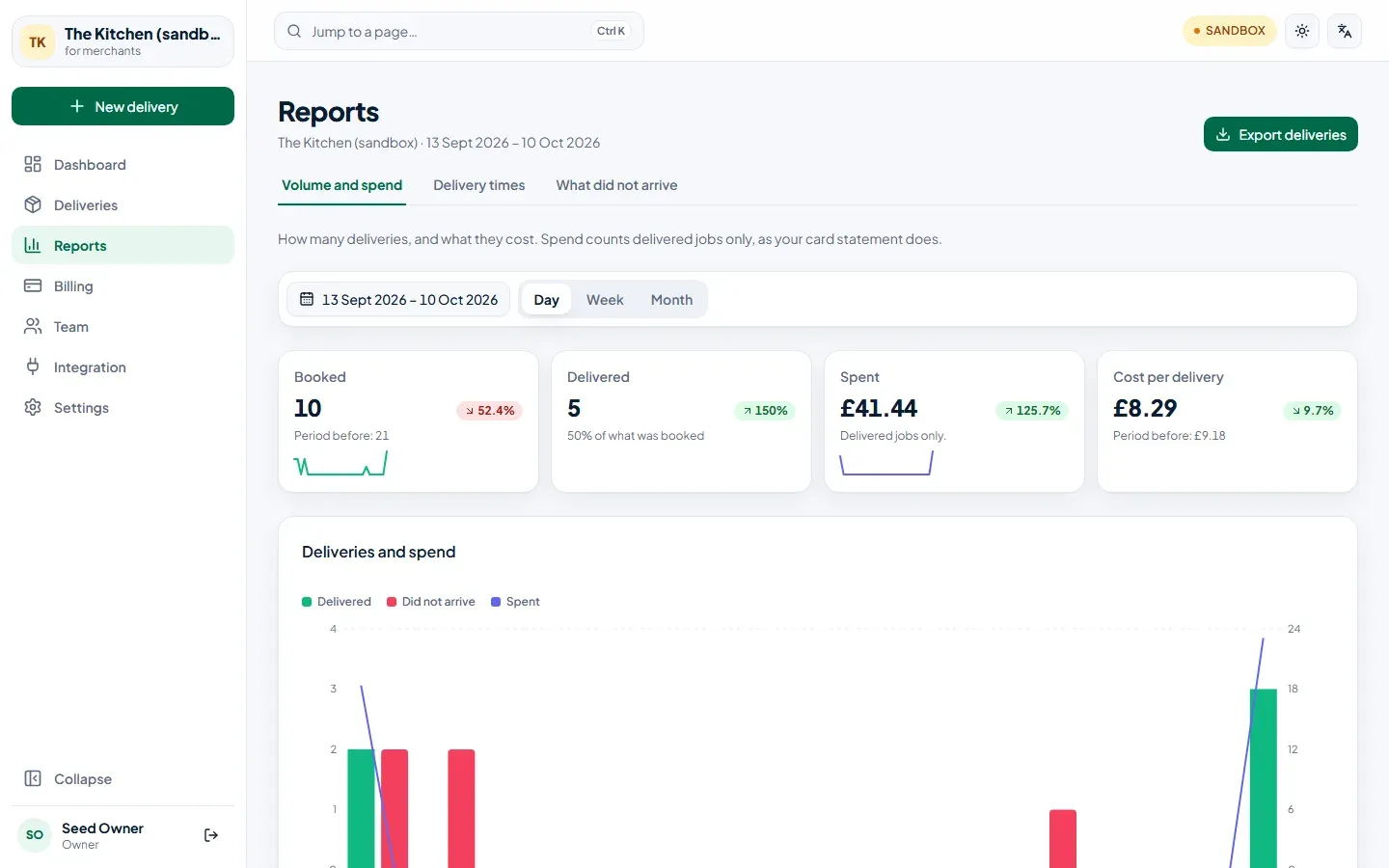
- Volume — how many you sent, by day, week or month.
- Quality — how long couriers took to collect and to deliver.
- Cancellations — what was called off or didn’t arrive, who ended it, and why.
Each report can be exported as CSV.