
Connecting your systems
The Integration page is where an owner connects a till, a website or an ordering system, so deliveries are booked without anybody signing in to the portal. Everything a developer needs is in the partner API documentation; this page is the portal’s side of it.
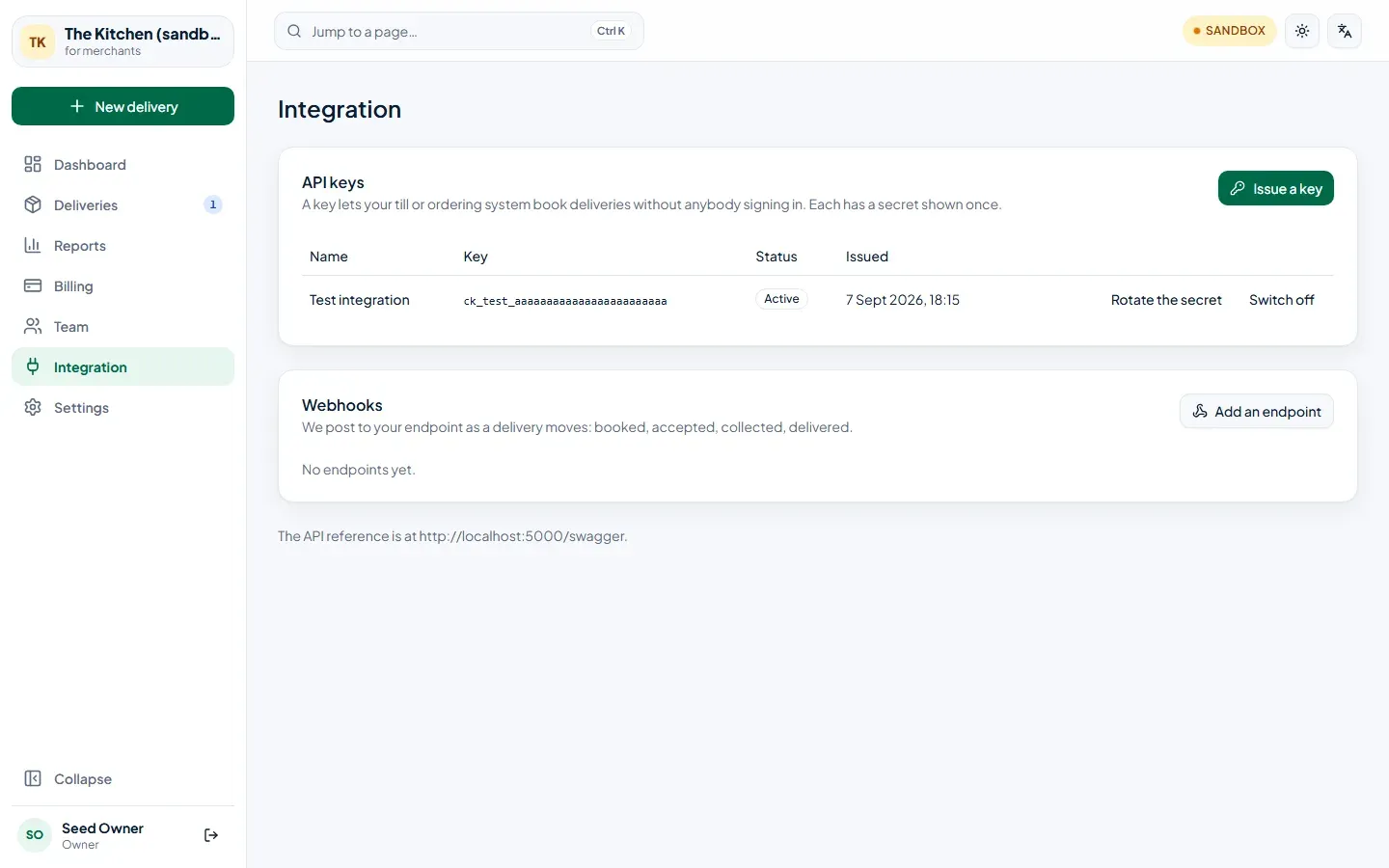
API keys
Section titled “API keys”- Choose Issue a key and name it after the system that will hold it — “Till, Camden”.
- Copy the secret straight away. It’s stored as a hash, so nobody — including us — can show it to you again. Give the key and the secret to your developer.
A key made in the sandbox starts ck_test_ and only books pretend deliveries; a live key starts
ck_live_.
- Rotate the secret issues a new one. The old secret keeps working for a day, so you can put the new one in place first.
- Switch off stops the key at once. Anything still using it can no longer book.
Webhooks
Section titled “Webhooks”A webhook tells your system each time a delivery moves — booked, accepted, collected, delivered — instead
of it having to ask. Choose Add an endpoint, enter your system’s https address, and pick the events
you want.
You are shown a signing secret once. Your developer uses it to check that each message really came from us — see Webhooks.
The list shows each endpoint’s status, and Recent deliveries shows what was sent to it and what it answered. An endpoint that fails 20 times in a row is suspended; once it’s fixed, choose Resume. Rotate the signing secret if it may have leaked.